
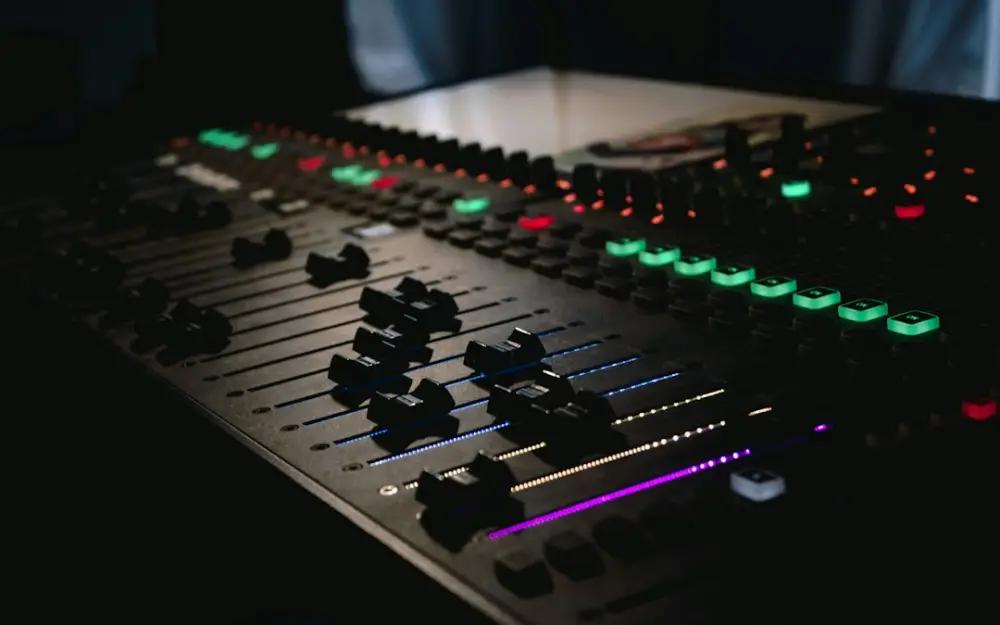
Preparing audio for digital distribution is the process of finalizing your music or spoken-word files to meet the specific technical requirements of streaming services and online stores. This involves selecting high-resolution formats like WAV, managing bit depth and sample rates, and ensuring your tracks are mastered correctly to provide consistent sound quality across all listening devices and platforms.
Getting this technical stage right prevents unwanted distortion during the transcoding process and ensures your tracks sound exactly as intended on everything from high-end studio monitors to smartphone speakers. It is the bridge between the creative mixing phase and the listener’s ear, where technical precision safeguards the emotional impact of the performance.
When you prepare a track for platforms like Spotify, Apple Music, or Tidal, you are not just uploading a file; you are submitting a master that will be re-encoded by the platform. Most streaming services use loudness normalization to ensure a consistent volume level for the listener. For instance, Spotify typically targets -14 LUFS (Loudness Units Full Scale). If your track is significantly louder than this, the platform will turn it down; if it is much quieter, they may turn it up, potentially introducing limiting artifacts.
Another critical factor is the "True Peak" level. It is recommended to keep your peak levels at -1.0 dBTP or lower. This provides enough headroom so that when the platform converts your high-quality WAV file into a compressed format like Ogg Vorbis or AAC, the peaks do not clip and create audible distortion. Mastering with these targets in mind ensures that your high-quality audio recording, mixing & mastering efforts are preserved during the final delivery.
Lossless vs. Lossy: Choosing the Right Compression Style
Understanding the difference between lossless and lossy audio is fundamental to distribution. Lossless compression, found in formats like FLAC or ALAC, reduces file size without removing any audio data. When the file is played back, it is bit-for-bit identical to the original source. This is the gold standard for archiving and for platforms that offer "Hi-Fi" tiers.
Lossy compression, such as MP3 or AAC, removes data that the human ear is less likely to hear to achieve much smaller file sizes. While this is efficient for mobile data streaming, it inherently degrades the audio quality. When preparing for distribution, you should always upload a lossless file. The distribution service will then create the lossy versions for the various streaming tiers. If you upload an MP3, the platform will be compressing an already compressed file, leading to a significant loss in clarity and stereo imaging.
A concrete example of this is the "transcoding artifacts" often heard in the high frequencies of cymbals or vocal sibilance when a low-bitrate lossy file is re-encoded. By providing a 24-bit WAV file, you give the platform's encoder the cleanest possible data to work with, resulting in a better-sounding stream for the end user.
Common Audio Formats: From WAV to MP3 and AAC
The industry standard for digital distribution is the WAV file. It is an uncompressed format that preserves every detail of the studio session. While AIFF is a similar uncompressed format primarily used in Apple environments, WAV is more universally accepted across all distributors and operating systems. Most distributors require a minimum of 16-bit/44.1kHz WAV files, though 24-bit is now the preferred standard for high-resolution streaming.
FLAC (Free Lossless Audio Codec) is an excellent alternative for direct-to-fan sales on platforms like Bandcamp, as it offers the same quality as a WAV but at roughly half the file size. On the lossy side, AAC (Advanced Audio Coding) has largely superseded MP3 as the preferred format for streaming due to its superior efficiency and better sound quality at similar bitrates. Apple Music, for example, uses AAC for its standard streams.
Even though MP3 is no longer the primary format for streaming, it remains useful for sending quick demos or promo copies via email. However, for official distribution, sticking to uncompressed WAV ensures your work meets the technical benchmarks required for professional release in 2026.
Recommended Audio Settings for Different Streaming Scenarios
The settings you choose during export depend on the medium. For standard music distribution, the 44.1 kHz sample rate is the baseline, originating from the technical specifications of the Compact Disc. However, for audio that will be paired with video—such as a music video or a film score—a sample rate of 48 kHz is the standard to ensure synchronization with video frame rates.
Bit depth is equally important. While 16-bit was the standard for decades, 24-bit is now highly recommended. A 24-bit file offers a much lower noise floor and a greater dynamic range, which is especially important for orchestral music or intimate spoken-word recordings. In these scenarios, audio accessibility is finally becoming a priority for digital publishers, as high-resolution speech ensures that every nuance is intelligible for the listener.
For spoken-word content like podcasts, you might consider a mono export if there is no stereo instrumentation. A mono 16-bit/44.1kHz file will have half the file size of a stereo file while maintaining the same vocal quality, which can be beneficial for listeners on limited data plans. However, for music, always maintain a stereo interleaved file to preserve the spatial characteristics of your mix.
Step-by-Step: Exporting Your Audio for Digital Release
Follow these steps to ensure your audio is technically sound before you send it to your distributor:
- Check for Headroom: Ensure your mix is not clipping. Look at your master fader and ensure the peaks are hitting around -3 dB to -6 dB before the mastering stage.
- Set the Loudness: Use a loudness meter to aim for -14 LUFS integrated. Ensure your True Peak does not exceed -1.0 dBTP.
- Select the Correct Format: Choose WAV (Broadcast Wave is also acceptable) as your export format.
- Configure Sample Rate and Bit Depth: Set these to match your project settings, ideally 44.1 kHz or 48 kHz at 24-bit.
- Apply Dithering: If you are reducing the bit depth (e.g., from a 32-bit float project to a 24-bit or 16-bit export), apply a dither plugin to the very end of your master chain. This prevents quantization distortion.
- Embed Metadata: While most distributors handle metadata via their web forms, embedding the ISRC (International Standard Recording Code) and track title into the file can provide an extra layer of security and organization.
- Final Listen: Listen to the exported file from start to finish on a different playback system to ensure no glitches occurred during the bounce.
Professional Mastering: The Final Step in Your Distribution Strategy
The final stage of preparation is professional mastering. This is more than just making the track loud; it is about balance and translation. A mastering engineer uses specialized tools to ensure that the low end is tight, the midrange is clear, and the high frequencies aren't fatiguing. They also ensure that a collection of songs sounds like a cohesive album rather than a series of disconnected tracks.
In the context of modern distribution, mastering engineers also prepare different versions of a track for different needs. They might provide a high-resolution version for Apple Digital Masters and a slightly more limited version for club play. This technical oversight is what separates amateur uploads from professional releases. By following these rigorous standards, you ensure your audio remains competitive in a crowded digital space.
At Superlative Music, we focus on the intersection of technical excellence and the human element of sound. Whether you are finalizing a complex musical arrangement or a high-stakes spoken-word project, the goal remains the same: to deliver audio that is clear, impactful, and ready for the world. Preparing your audio correctly is the final act of respect for your craft, ensuring that your audience hears exactly what you intended, regardless of the platform they choose.